SMS
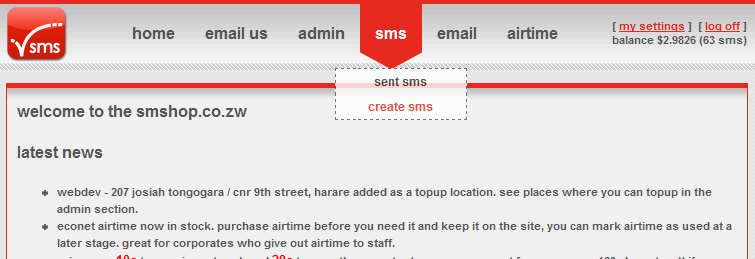
- You can see your balance and change your password in the top right.
- Click on [SMS] - [Create SMS] to send an sms.
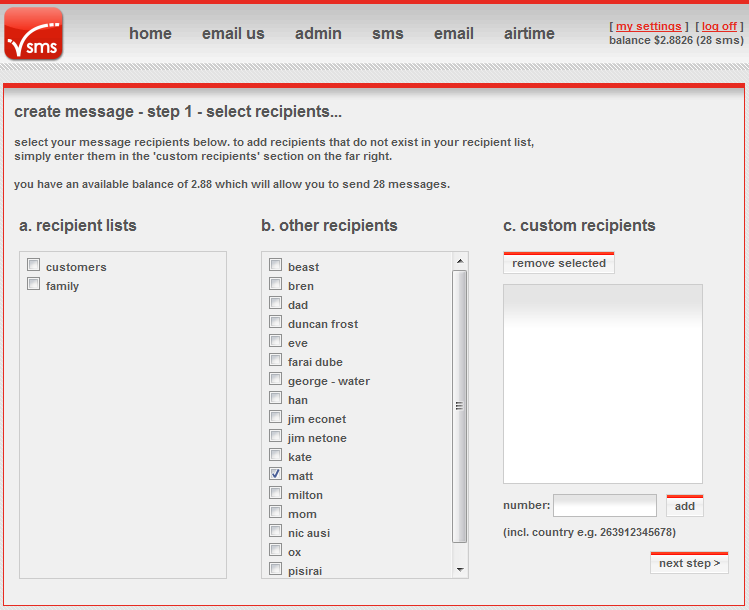
- Use premade groups, recipients or add a custom one off recipient. Then click [Next Step].
- You can setup your groups and contacts in the Admin section.
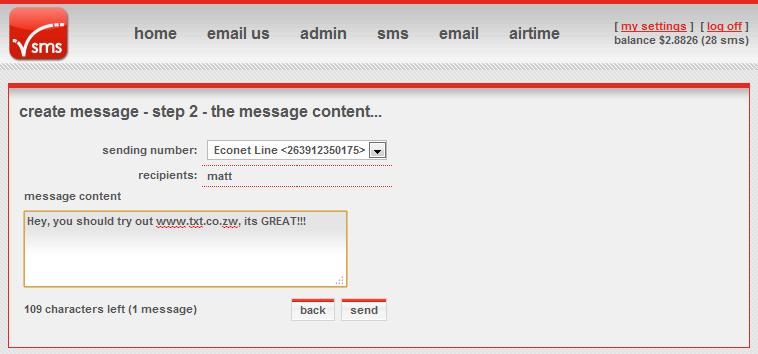
- Choose your sending number, notice I am sending from my Econet number so recipients can reply to my cellphone. Use the admin section to set this up (its called a sender number)
- Enter your message, you can see how many parts it is under the text area. Click [send].
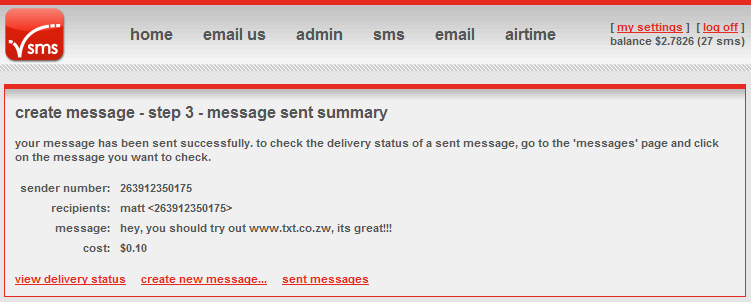
- Your message has been sent and you are shown details.
- Click [View delivery status] for see even more details.
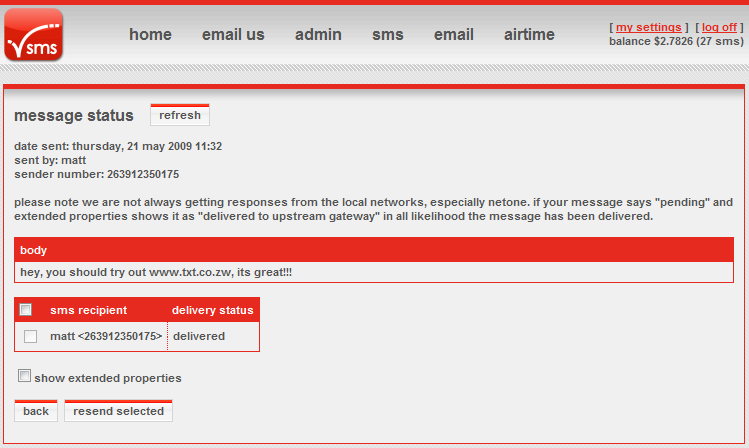
- This shows the extended details and the delivery status of each number.